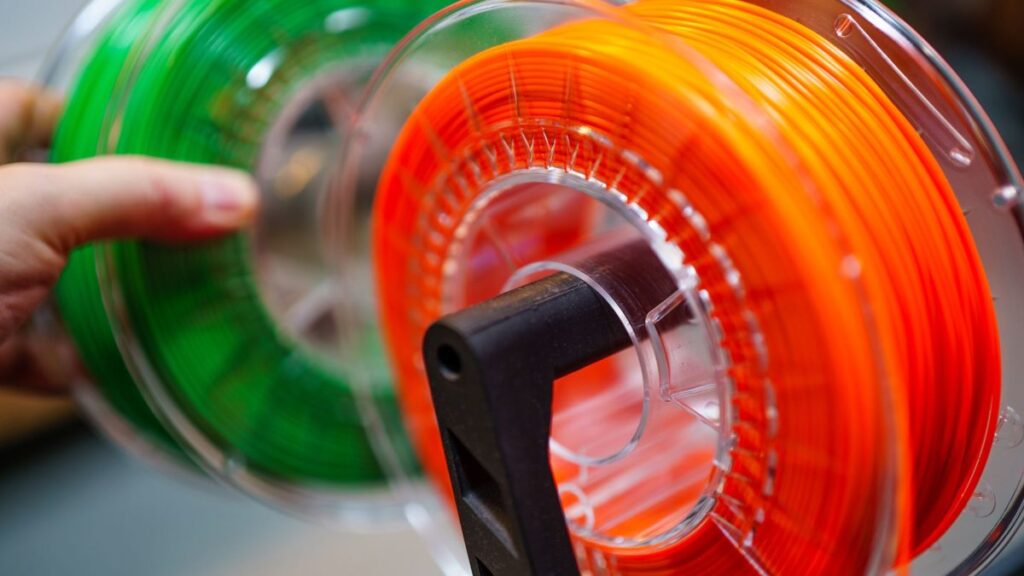
For a direct-drive printer, start PETG at a retraction distance of 1–2 mm, a retraction speed of 30–40 mm/s, and Z-hop of 0.2 mm — then calibrate with a retraction tower. For Bowden, bump the distance to 4–6 mm and keep the speed in the same band. Those are working starting points, not gospel: PETG’s melt behaviour varies enough between hotends, extruders and even filament batches that a single “correct” number doesn’t exist. What matters is understanding why those figures land where they do, so you can move them in the right direction when the first print still strings.
That mechanism is the whole story with PETG. Get the z hop and retraction settings petg needs right, and you kill 90% of stringing. Get them wrong — or ignore the moisture problem underneath them — and you’ll chase ghosts for hours. Here’s the detail.
Why PETG strings in the first place
PETG is glycol-modified polyethylene terephthalate. The glycol (a second monomer, cyclohexanedimethanol, added during polymerisation) suppresses crystallinity, which is why PETG is a substantially transparent, amorphous polymer with no fixed melting point. That amorphous structure gives PETG its wide processing window and its toughness — but the same modification lowers molten viscosity and makes the material more hygroscopic.
Low molten viscosity is the root cause of stringing. Think of the hotend as a caulk gun: when the printhead stops extruding to travel, the low-viscosity PETG inside keeps flowing, oozing out of the nozzle and drawing fine strings across the gap. PETG also has a longer “viscosity tail” than PLA — it keeps flowing for longer after the extruder stops pushing. That is precisely why you can’t copy PLA retraction values across and expect them to work; PETG needs the melt pulled back further and held there.
Retraction fights the ooze by physically pulling molten plastic back up the melt zone during travel. Z-hop fights a different problem: the residual blob left at the nozzle tip dragging across and scarring the surface. They solve related but distinct issues, which is why you tune them separately.
Retraction distance for PETG: the real ranges
This is where published advice diverges most, and it’s worth being honest about that spread rather than pretending there’s one figure. The disagreement is real and reflects genuine hardware variation — the length of your melt zone, whether you run a Bowden tube, and your firmware’s retraction handling all shift the optimum.
| Source / profile | Direct drive | Bowden |
|---|---|---|
| OrcaSlicer Generic PETG default | 0.4–1.5 mm | 2–5 mm |
| Polymaker guidance | 1–1.5 mm | 5–6 mm |
| Common community advice (older) | 2–4 mm | 6–8 mm |
| General slicer guidance | 0.5–2 mm | 3–6 mm |
The practical takeaway: direct-drive setups cluster around 0.4–2 mm on modern advice (older guidance pushed 2–4 mm), and Bowden setups need 2–8 mm because there’s a long, springy PTFE tube absorbing the pull. Modern direct-drive extruders with short melt zones genuinely need very little — starting at 1 mm and working up is more sensible than starting at 4 mm.
The upper-limit hazard nobody mentions until it bites: too much retraction, especially on a Bowden machine, causes more problems than it solves. Pull the melt back too far and you invite heat creep — molten plastic retreating into the cooler portion of the heat break, where it stiffens and jams. Over-retraction is one of the most common self-inflicted PETG clogs. If you find yourself past the top of these ranges and still stringing, the distance is not the problem.
How to calibrate it properly
- Start from a baseline of 0 mm retraction to see the raw ooze behaviour.
- Increase in 0.2 mm steps (direct drive) or 1 mm steps (Bowden).
- Print a retraction/stringing tower at each value and stop the moment strings vanish.
- If increasing distance further starts causing grinding or under-extrusion gaps, stop — that’s your signal the problem is moisture, not geometry.
That last point is the single most useful diagnostic in PETG tuning. Retraction cannot fix wet-filament stringing, so if more retraction only makes things worse, put the calipers down and dry the spool.
Retraction speed for PETG
The consensus band here is tighter: 25–45 mm/s, with most people landing around 30–40 mm/s. The mechanism sets the boundaries:
- Too slow and the melt isn’t pulled back before the travel move begins — you get stringing anyway.
- Too fast and you risk grinding the filament, particularly on softer or flexible PETG formulations where the drive gear can chew a flat spot before the melt actually moves.
For long travel moves on Bowden systems, nudging speed towards 40–45 mm/s helps arrest oozing over the bigger distance. Prime (deprime/un-retract) speed can sit higher, in the 30–80 mm/s region. Start at 35 mm/s and only change it if the retraction-tower results plateau while stringing remains.
Z-hop settings for PETG
Z-hop lifts the nozzle vertically each time the head retracts and travels, so the tip clears the print instead of dragging across it. With PETG’s persistent tip blob, that anti-scarring benefit is genuinely useful — but Z-hop is a surface-quality tool, not a stringing cure, and used carelessly it can make stringing worse (more on that below).
| Scenario | Z-hop height | Notes |
|---|---|---|
| Standard 0.2 mm layers | 0.2 mm | Cura default; matches layer height |
| Rule of thumb | ~2× layer height (≈0.4 mm) | OrcaSlicer often recommends 0.4–0.6 mm for 0.2 mm layers |
| Large nozzles (≥0.6 mm) | 0.4–0.6 mm | Clears wider, taller extrusions |
| Slicer range (OrcaSlicer) | 0.2–2.0 mm | Rarely need the top end |
Slicer defaults are consistent: 0.2 mm in PrusaSlicer, Cura (Travel → Z Hop When Retracted), and Bambu Studio / OrcaSlicer. PrusaSlicer’s printer-level Lift Z defaults to 0.4 mm, but note the filament settings override the printer setting — a common source of “why won’t my Z-hop change” confusion. Set it in the filament profile.
The Z-hop trade-off: it can increase stringing
Here’s the contested point worth flagging. Every Z-hop adds an extra retract/travel/prime cycle and, crucially, gives the oozing nozzle more time in the air during travel. On low-viscosity PETG, that extra hang time can leave more strings, not fewer. If you enable Z-hop for surface protection and stringing gets worse, that’s the mechanism at work. The fix is to nail retraction distance and speed first, then add the minimum Z-hop (0.2 mm) needed to stop dragging — don’t reach for it as a stringing cure.
Moisture: the cause most people miss
If your PETG strings badly despite sensible settings, dry it before you touch anything else. PETG is hygroscopic — at 50% relative humidity it can absorb 0.3–0.5% moisture by weight within a few days. (Sources disagree on whether PETG is more or less hygroscopic than PLA; both agree it needs dry storage, so treat that debate as academic.)
The mechanism is brutal. Absorbed water lowers melt viscosity, so the extrudate stretches further during travel — the classic “wet PETG” stringing. Worse, when moisture-laden filament hits a 240 °C hotend, the trapped water flashes violently to steam, driving a hydrolysis reaction that breaks the polymer chains and collapses viscosity further. You’ll see bubbling, popping, frosted surfaces and stringing that no retraction value can fix.
Diagnostic rule: if pushing retraction higher only causes grinding or gaps while strings persist, moisture is almost certainly the culprit.
Drying: 55–65 °C for roughly 4–8 hours (60 °C for 7 hours is a solid default drawn from official Prusa/Bambu profiles). Use a dedicated filament dryer — avoid the kitchen oven, where hot spots can deform or ruin the spool.
Storage: keep it below 20% RH in a sealed container with fresh silica gel desiccant, or moisture reabsorption undoes the dry in days.
A working PETG starting profile
| Setting | Direct drive | Bowden |
|---|---|---|
| Retraction distance | 1–2 mm | 4–6 mm |
| Retraction speed | 30–40 mm/s | 40–45 mm/s |
| Z-hop height | 0.2 mm | 0.2 mm |
| Filament state | Dried 60 °C / 7 h, stored <20% RH | |
Treat every number here as a starting point and confirm it with a retraction tower for your specific extruder and filament. If you want the exact slicer values dialled in for your defect, our PETG stringing fix for OrcaSlicer walks through the profile changes in detail, and the Diagnose tool will read a photo of your failed print and hand back the specific settings — including downloadable .ini patches — rather than a generic checklist. If stringing is one symptom among several, start with why prints fail and the exact fixes.
FAQ
What retraction distance should I use for PETG on a direct-drive extruder?
Start at 1–2 mm and calibrate up in 0.2 mm steps with a retraction tower. Modern short-melt-zone direct-drive extruders often settle around 1 mm; older advice suggesting 2–4 mm risks heat creep on newer hardware. Stop increasing the moment strings disappear.
Does Z-hop reduce PETG stringing?
No — Z-hop prevents the nozzle dragging across the print and scarring the surface, but by keeping the oozing nozzle airborne longer during travel it can actually increase stringing. Fix stringing with retraction and dry filament first; add 0.2 mm Z-hop only for surface protection.
Why does my PETG still string with perfect retraction settings?
Almost always moisture. Absorbed water lowers melt viscosity and, at hotend temperature, flashes to steam and hydrolyses the polymer chains. If more retraction only causes grinding or gaps, dry the filament at 55–65 °C for 4–8 hours before changing anything else.
What retraction speed is best for PETG?
25–45 mm/s, with 30–40 mm/s a safe start. Too slow and the melt isn’t withdrawn before travel begins; too fast risks the drive gear grinding a flat on softer PETG grades. Bowden setups can run the upper end for long travels.